 CueCart
 Hit the pad.
Hear it instantly.
CueCart is a broadcast-grade cartwall — a grid of pads that fire preloaded audio with sub-6 ms latency. Built-in DJ deck, cue editor and broadcast processing — engineered for live radio, production and theatre.
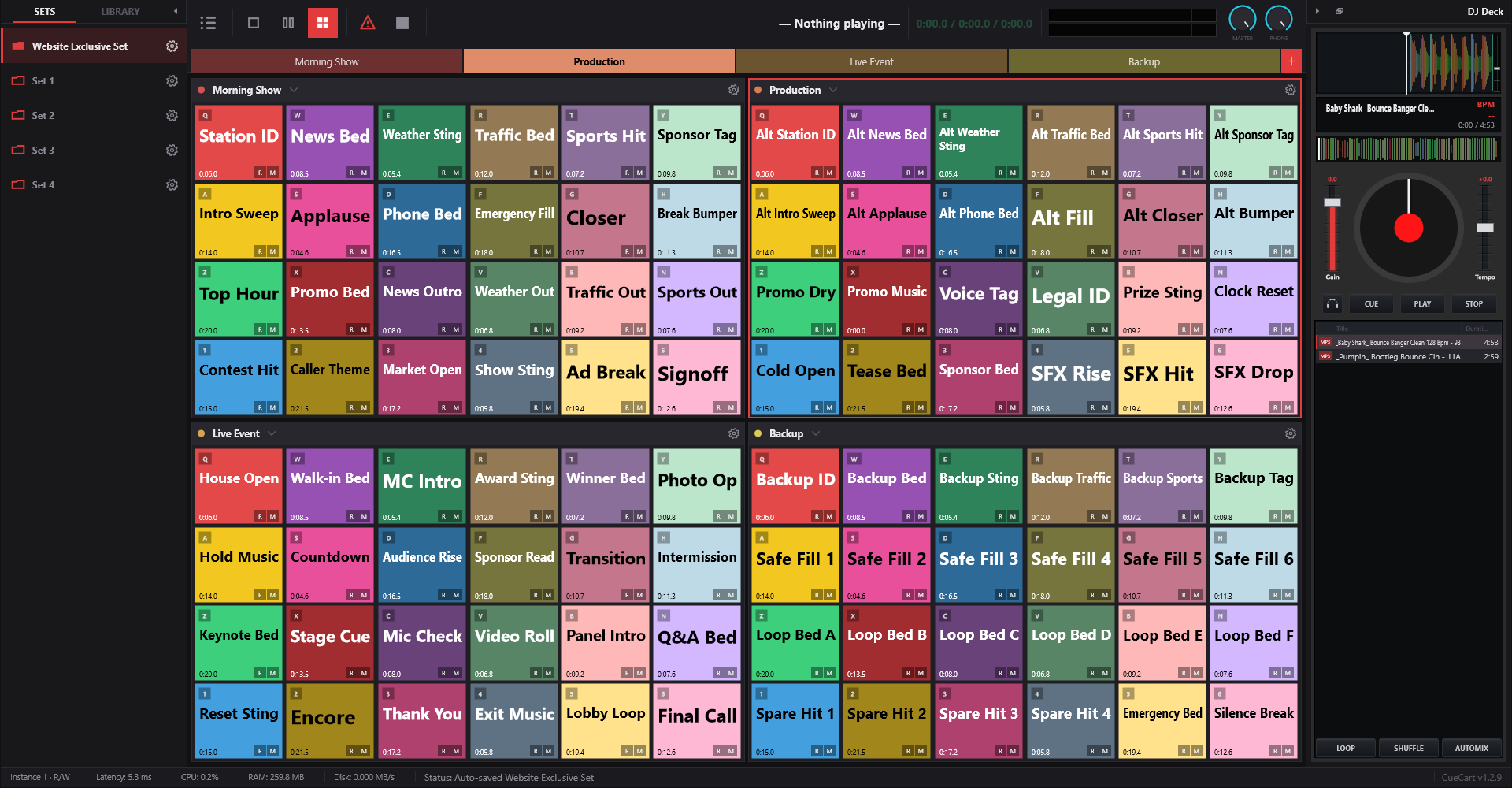
Everything fires from one wall.
Lay your audio out as a grid, then trigger it by touch or key — every cue prepared and ready before you need it.
Instant, glitch-free playback
Every cue is prepared and held ready the moment you load it, so a pad press or hotkey plays the instant you hit it — no spin-up, no lag, and no dropouts, even when the show is busy and the room is loud. Each loaded pad shows its duration, then swaps to a live state while it plays.
- Sub-6 ms trigger response — press to sound, instantly
- Stays clean and in time under a heavy, demanding show
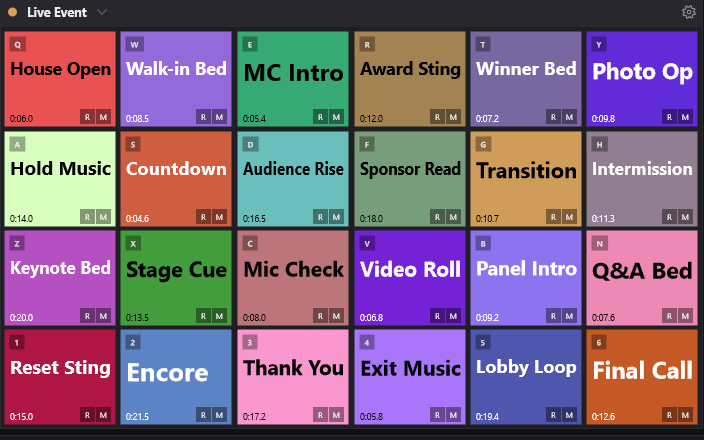
- Per-cart gain, fade, loop, colour and exclusive groups
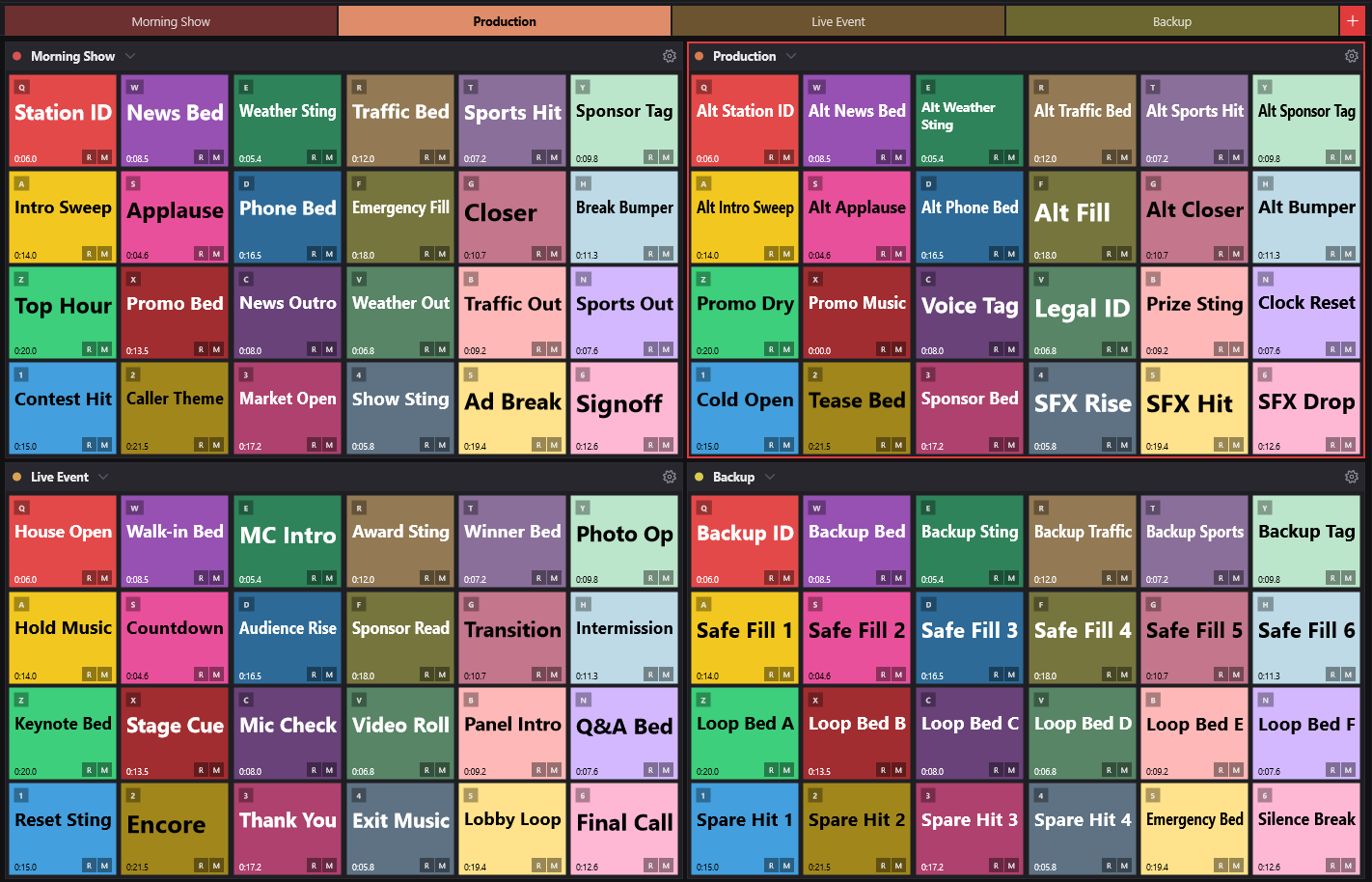
Multiple banks. Switch in a blink.
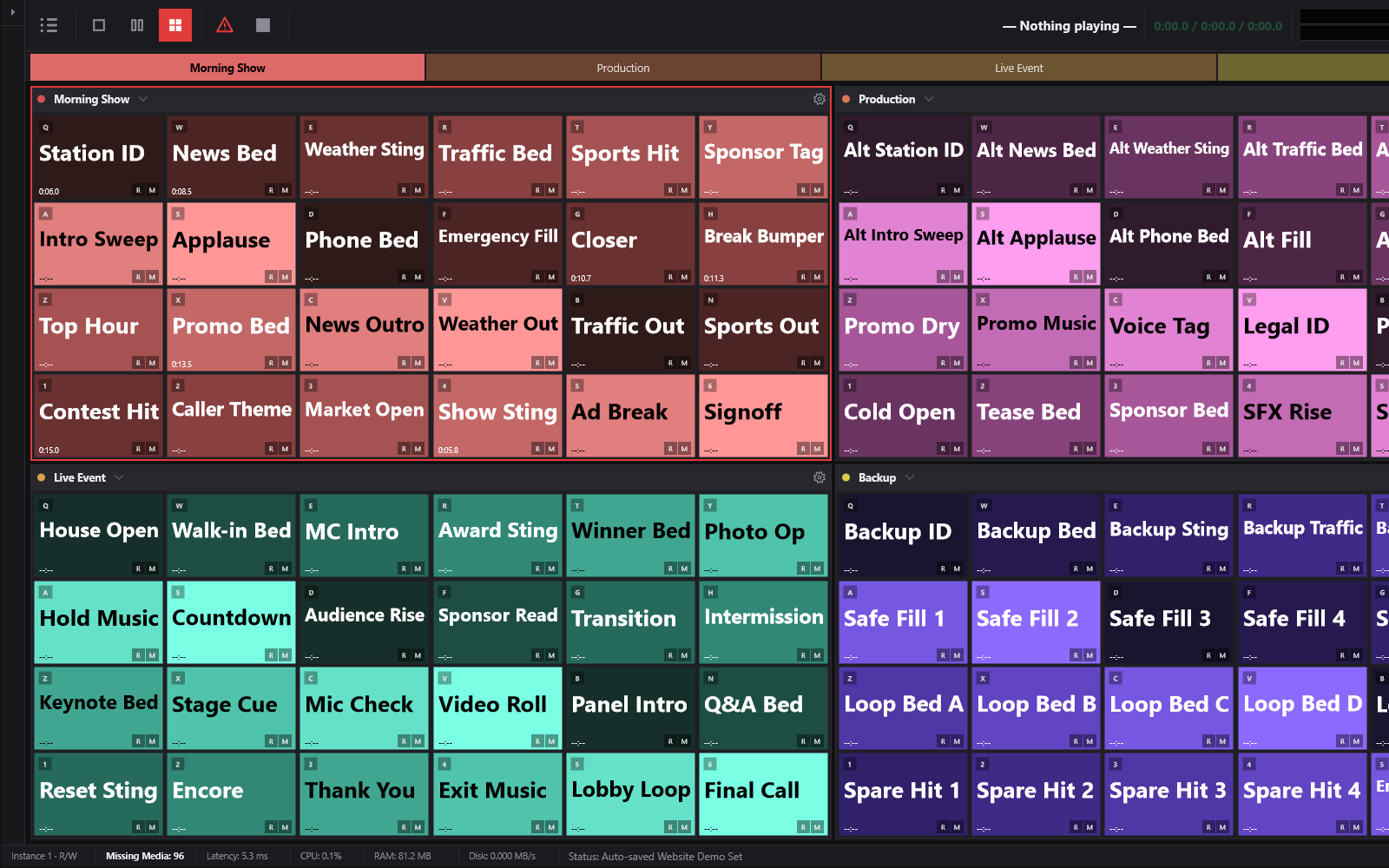
Organise a show across banks — themes, jingles, beds, news, music — and flip between them instantly with F1–F12. Because every cue is preloaded, changing banks or loading another whole set is gapless: no spinner, no dropped cue. Split the wall into one, two or four panels and resize the grid to fit your show.
- 10+ banks per set · instant, gapless switching
- 1 / 2 / 4-panel layouts with a resizable pad grid
- Active-bank focus border so you always know what's live
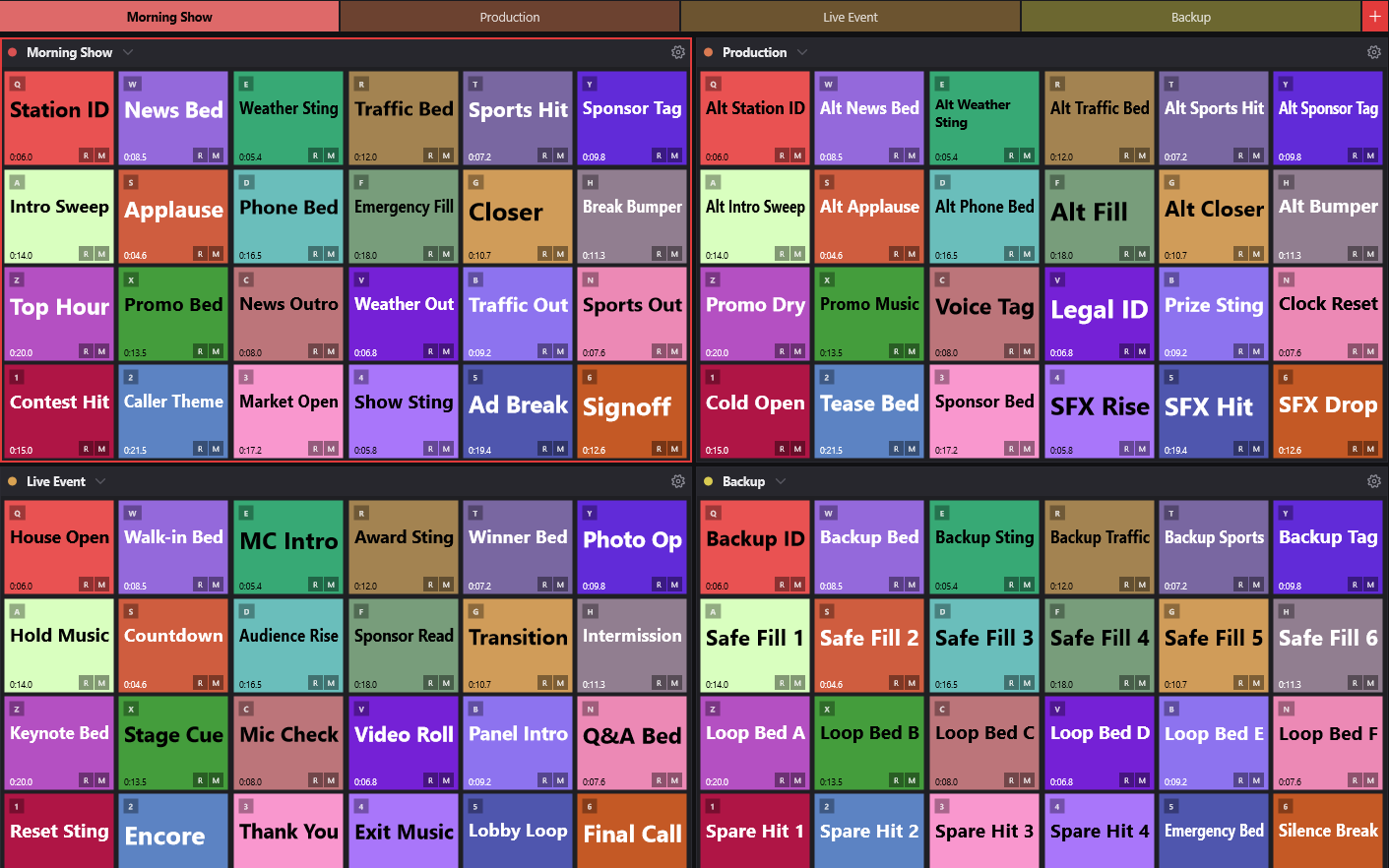
Change the whole show, live.
Keep a separate Set for every job — breakfast show, news bulletin, outside broadcast — and switch between them on the fly, even between segments. Pick a Set from the sidebar and CueCart loads it with your banks, cues and colours back exactly as you left them, ready to fire — no closing the app, no restart.
- Switch between whole shows mid-broadcast, straight from the sidebar
- Banks, cues and colours restored exactly as you saved them
- A Set per production — load the right show in seconds
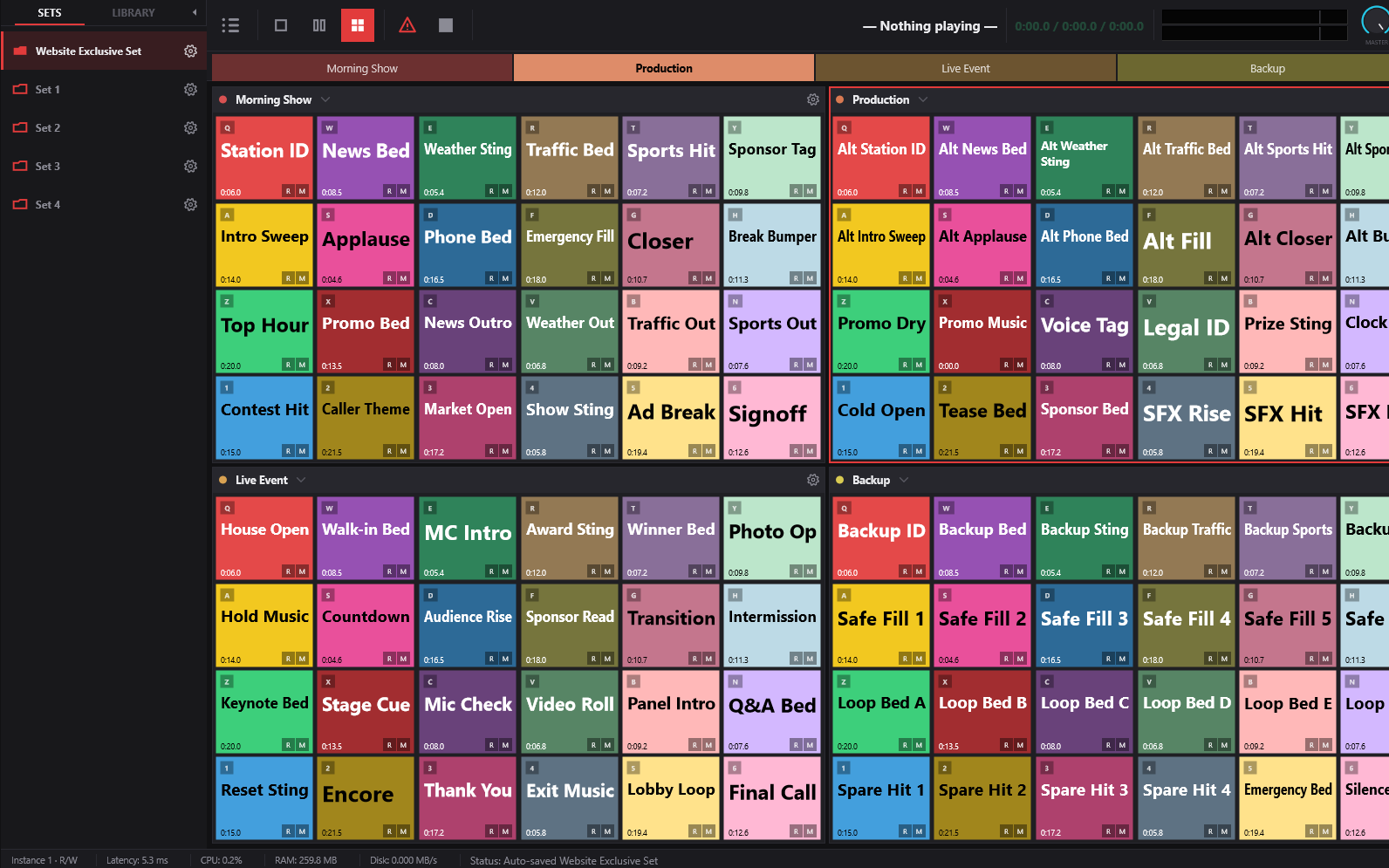
Every cue, dialled in.
Right-click any pad for the Cue Editor — colour, playback behaviour, routing and a waveform trimmer, all in one place.
Readable at a glance
Choose Rainbow, Palette Cycle, or Shades of bank colour so each bank can read like its own part of the show. Pad names, durations, hotkeys and routing badges stay visible across dense four-panel shows.
- Auto-colour modes: Rainbow, Palette Cycle and Shades of bank colour
- Duration labels, hotkeys and routing badges on the pad face
- Readable four-panel wall for dense shows
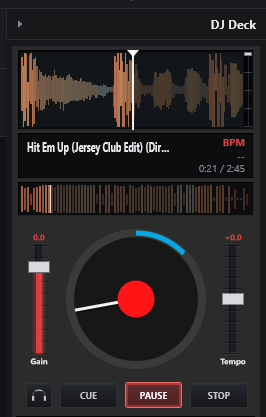
A real deck, right on the wall.
Ride a bed, beatmatch into a break, or cue the next track in your headphones — without leaving CueCart.
Jog, cue, and listen ahead
Load a track to the deck and you get a jog wheel with scratch, tempo and gain faders, a full transport, and a scrolling waveform with cue markers. Tap the headphone button to listen to the deck on your cue bus while the room hears the show.
- Jog/scratch, tempo & gain, Cue / Play / Stop transport
- Scrolling waveform with cue markers
- Headphone (PFL) listen — pre-hear before you go live
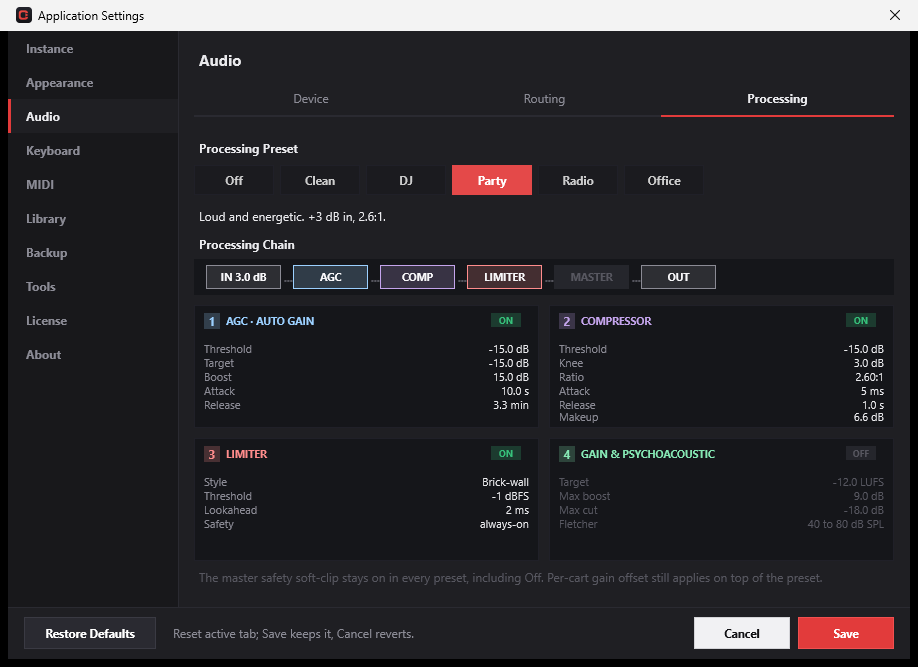
Loud, clean, and routed your way.
A tunable processing chain on every pad, flexible bus routing, and an output mode that even works on a single laptop jack.
Studio sound without the rack
Every pad runs through auto-gain, a compressor, a brick-wall limiter and psychoacoustic gain. One-click presets — Off, Clean, DJ, Party, Radio, Office — match the room, and offline RMS normalisation lands every cue at the same level.
- AGC → Compressor → Limiter → Master chain
- Presets: Off · Clean · DJ · Party · Radio · Office
- Offline RMS normalisation per cue
Your whole show, organised.
A searchable library that lives above your disk layout, portable sets, and drag-and-drop from anywhere.
Drag it in. Find it fast.
Drag audio straight from Windows Explorer onto a pad, the library, or the deck. CueCart organises stable media identities into searchable folders, tags and categories — so a file's place in your show never depends on where it sits on disk.
- Drag-and-drop into the library, cue grid or deck
- Searchable library keyed to media identity, not paths
- Folders, tags and categories above the filesystem
Built for showtime.
The details that matter when the light is red and there's no second take.
Multi-instance show control
Run more than one CueCart safely. Set locking, heartbeats and coordination keep two operators (or two rigs) from clobbering the same show.
Export, import & bundle
Move a single bank, a whole set, or a Bank Collection between machines as one portable .cuecartpkg package — content, colours and settings intact.
Level-matched cues
Offline RMS normalisation analyses each clip so jingles, beds and stings all hit at a consistent loudness — no surprise spikes.
Multi-device output
Send Master and your cue bus to different outputs, with a render-once engine feeding each device — ideal for FOH plus a monitor feed.
Drag-and-drop anywhere
Drop files from Explorer onto the cue grid, the library or the deck — CueCart imports them into the library and places them in one move.
Sets on demand
Every show stays a click away. Switch between full sets from the sidebar on demand — each preloads into memory, so the next show is cued and ready the moment you select it.
Why it never stutters.
CueCart is built from the ground up for live work. Cues are made ready the moment you load them and kept on standby, so every trigger fires the instant you hit it — clean, on time, and unflappable when the show gets busy.
Instant response
Hit a pad and the sound is simply there — no spin-up, no progress spinner, no perceptible delay between your hand and the room.
Glitch-free under load
Engineered to keep playing cleanly through a packed, demanding show — no clicks, no dropouts, no nasty surprises on air.
Always on time
Cues stay tight and consistent, take after take, so what you rehearse is exactly what the audience hears.
Your keyboard is the wall.
Four rows of keys map straight to the active bank's pads. Stop everything with a fade, or panic-kill every voice instantly.
Questions, answered.
How low is the latency, really?
Very. Cues are prepared in advance and ready to fire, so a trigger plays with no disk delay — typically under 6 ms to output. It's built to stay glitch-free even under a heavy, busy show.
Can I switch banks and sets mid-show without a gap?
Yes. Because every cue in the set is preloaded into RAM, switching banks (F1–F12) is instant, and loading another set happens without dropping what's playing — no spinner, no gap.
What audio formats does it import?
WAV, AIFF, FLAC, MP3, Ogg Vorbis and AAC (.m4a / .aac / .m4b) out of the box. On Windows, AAC uses the built-in system decoder, so there is nothing extra to install. Import a file once and it's ready to fire from any pad.
I only have one headphone jack on my laptop — can I still cue?
Yes. Dual-Mono output mode sends a mono Master to one channel and your mono cue/Phones bus to the other, so you can pre-listen on a single stereo jack.
Does it work offline?
Yes. CueCart runs entirely on your machine — your sets, library and audio never leave it. A license check is only needed occasionally; day-to-day operation is fully offline.
Is it a subscription?
No. CueCart is a one-time purchase. You own the license for life and get a year of free updates; you can keep using the version you have indefinitely.
Mac or Linux?
CueCart is Windows-first today (Windows 10/11, 64-bit). The engine is built on cross-platform foundations; other platforms are on the roadmap but not yet released.
Ready when the light goes red.
Download CueCart, drop in your audio, and run your first show today. Free for 30 days — no card, no commitment.